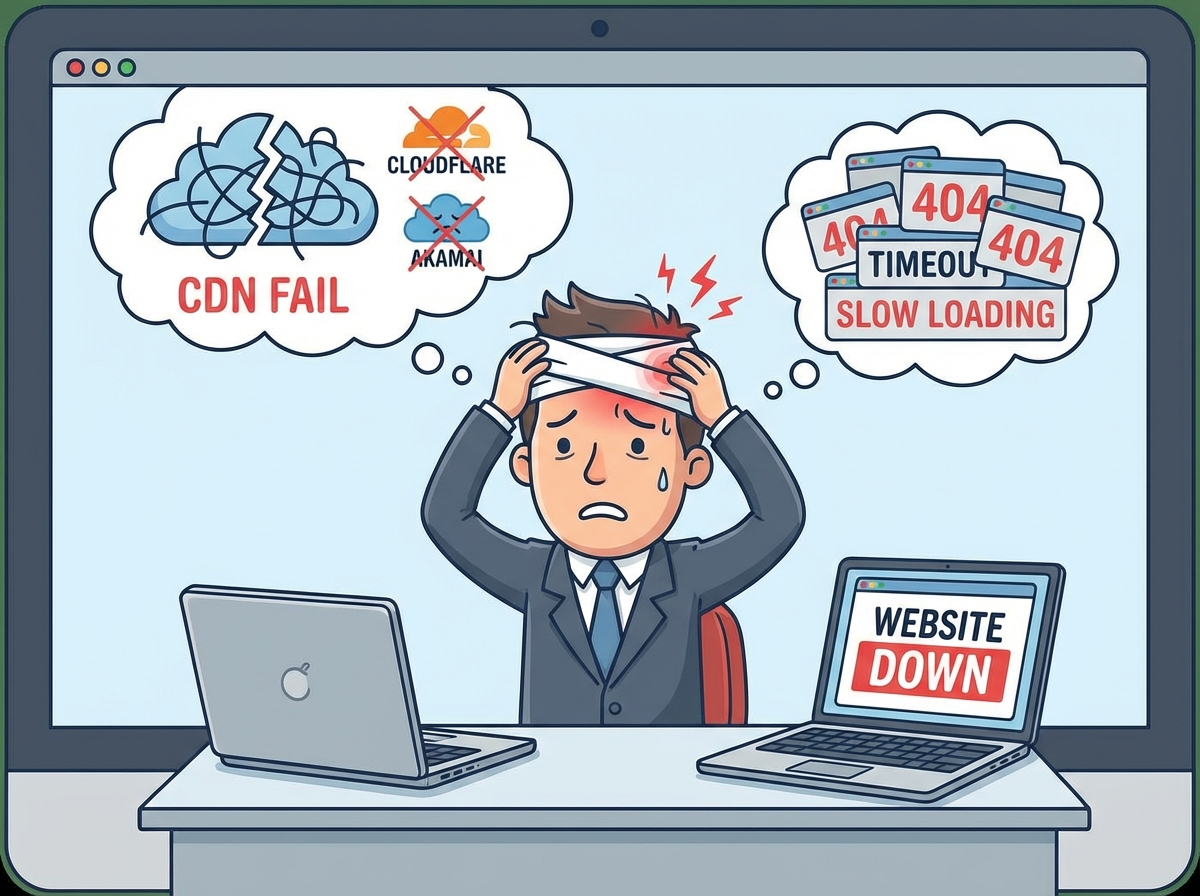
The Day Cloudflare Stopped
It happened twice in two weeks. On December 5th and again in late November 2025, Cloudflare—one of the world’s largest content delivery networks—experienced critical outages that briefly took portions of the internet offline. For millions of users, websites displayed error pages. For business owners, those minutes felt like hours. For engineering teams, it sparked an urgent question: Are we really protected if our CDN is our only shield?
The answer is uncomfortable: most companies are not.
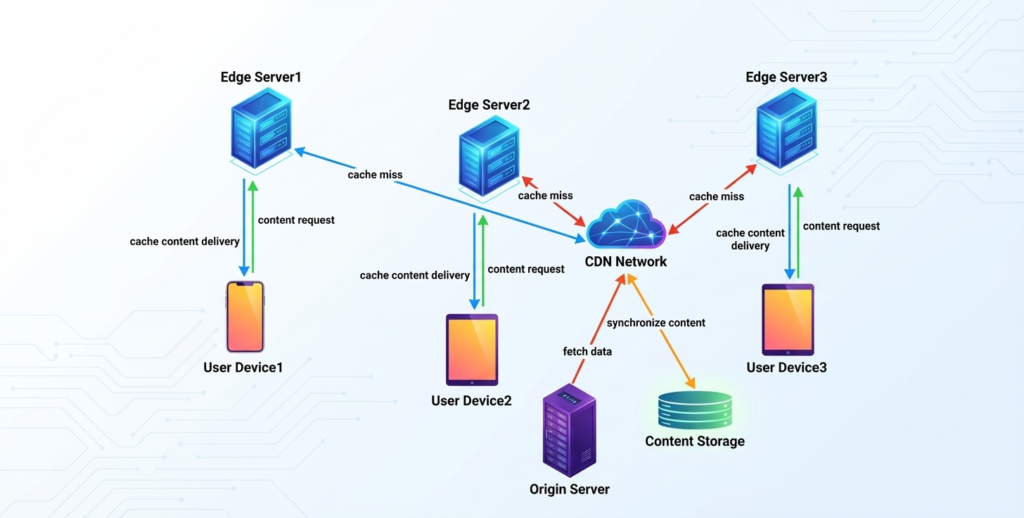
Figure 1: Traditional CDN architecture—single point of failure
If you operate a business whose entire web stack depends on a single CDN, this post is for you. We will walk through why single-CDN architectures are brittle at scale, and introduce two proven approaches to eliminate the risk: CDN bypass mechanisms and multi-CDN failover. By the end, you will understand how to design systems that keep serving your users even when a major vendor goes dark.
The Problem: Single Point of Failure at Global Scale
How a Single CDN Becomes Your Weakest Link
Most companies adopt a CDN for good reasons: faster content delivery, DDoS protection, global edge caching, and WAF (Web Application Firewall) services. The architecture looks simple and clean:
User → CDN → Origin Server
The CDN becomes the front door to everything. DNS resolves to the CDN’s IP addresses. The CDN caches static assets, forwards API traffic, and enforces security policies. The origin sits behind, protected from direct access.
This design works beautifully—until the CDN has a problem.
What Happened During the Outages
In both the November and December 2025 Cloudflare incidents, a configuration error or internal incident at Cloudflare’s control plane caused cascading failures across their global network. For affected customers, the symptoms were clear:
- All traffic to Cloudflare-fronted services returned 5xx errors
- DNS queries continued to resolve, but reached an unreachable service
- Origin servers remained healthy and online, but were invisible to end users because all paths led through the CDN
- Workarounds required manual intervention—logging into the CDN dashboard (if reachable), changing DNS, or calling support during an outage
The irony is sharp: the infrastructure designed to provide high availability became the source of unavailability.
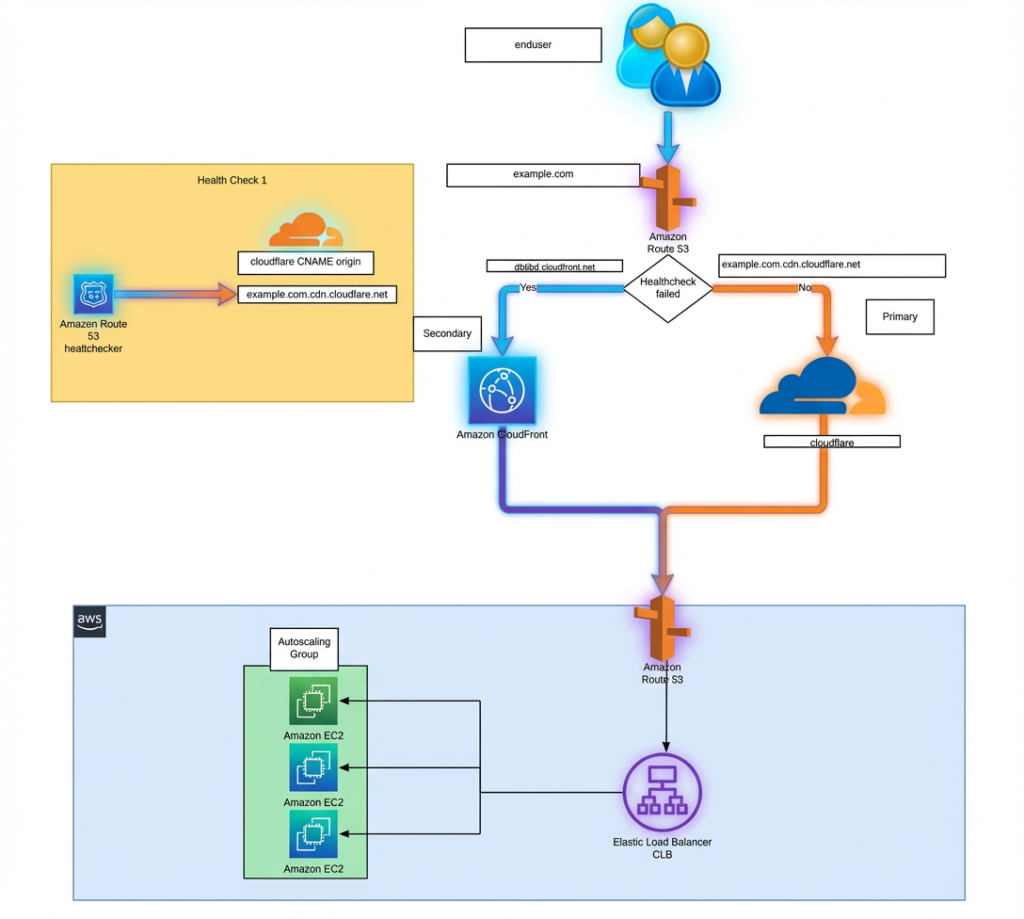
Figure 2: Multi-CDN failover strategy—removes single point of failure
The Business Impact
For a SaaS company with $100k monthly revenue, even 15 minutes of CDN-induced downtime can mean:
- Lost transactions: $100k ÷ 43,200 seconds × 900 seconds ≈ $2,000+
- Customer trust erosion and support tickets
- Potential SLA breaches and compensation obligations
- Reputational damage in competitive markets
For fintech, healthcare, and e-commerce, the costs are exponentially higher. And yet, many teams assume “the CDN vendor will not fail” because they have redundancy internally.
They do. But you depend on them all the same.
Solution 1: CDN Bypass—The Emergency Exit
Why Bypass Matters
A CDN bypass is not about abandoning your primary CDN during normal operations. Instead, it is a controlled, secure pathway to your origin server that activates only when the CDN itself becomes the problem.
Think of it like a fire exit: you do not walk through it every day, but it saves lives when the main entrance is blocked.
How CDN Bypass Works
The architecture operates in layers:
Layer 1: Health Monitoring
Continuous health checks on your primary CDN—latency, error rate, reachability, and geographic coverage. If thresholds are breached (e.g., 5% of regions report 5xx errors or p95 latency > 2 seconds), an alert is triggered and bypass logic is engaged.
Layer 2: Dual Routing
You maintain two DNS records:
- Primary: Points to your CDN (used under normal conditions)
- Secondary / Bypass: Points to your origin or a hardened entry point (activated only on CDN failure)
Switching between them is automated—no manual DNS editing during an incident.
Layer 3: Origin Hardening
Direct access to your origin is dangerous if uncontrolled. You must protect it with:
- IP Allow-lists: Only accept requests from your bypass management service or approved monitoring endpoints
- VPN / Private Connectivity: Route bypass traffic through a secure tunnel (e.g., AWS PrivateLink, Azure Private Link)
- WAF and Rate Limiting: Apply the same security policies you had at the CDN to the direct path
- Header Validation: Ensure only traffic from your bypass orchestration layer is accepted
Layer 4: Gradual Traffic Shift
Once bypass is active, traffic does not all migrate at once. Instead:
- Begin with 5-10% of traffic on the direct path
- Monitor for errors and latency
- Ramp up to 100% over 5-10 minutes
- If issues arise, revert to CDN automatically
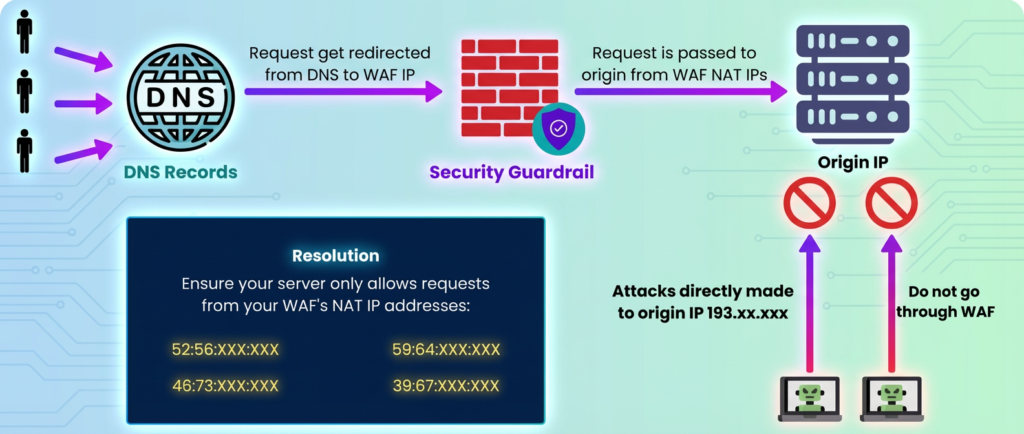
Figure 3: Origin server protection during bypass mode
The Bypass Playbook
A well-designed bypass system includes:
- Automated Detection: Monitor CDN health continuously; do not wait for customer complaints
- Runbook Automation: Execute failover logic without human intervention—speed is critical
- Graceful Degradation: Bypass mode may not include all CDN features (like edge caching). Accept lower performance to avoid complete outage
- Recovery and Rollback: Once the CDN recovers, automatically shift traffic back after a safety window
- Incident Logging: Record what happened, when, and why for post-incident review
Who Should Use Bypass?
Bypass is ideal for:
- E-commerce platforms, SaaS applications, and marketplaces where every minute of downtime is quantifiable revenue loss
- Services with strict SLAs or compliance requirements (fintech, healthcare)
- Teams with engineering capacity to operate a secondary resilience layer
- Businesses that can tolerate reduced performance (no edge caching, longer latency) for short periods to stay online
It is not a replacement for a good CDN, but a safety net when your primary CDN fails.
Solution 2: Multi-CDN with Intelligent Failover
Moving Beyond Single-Vendor Lock-In
While CDN bypass solves the immediate problem, a more comprehensive approach is to distribute load across multiple CDN providers. This removes the single point of failure entirely and offers additional benefits: better performance, cost negotiation, and the ability to choose the best CDN for each use case.
Multi-CDN Architecture
In a multi-CDN setup, traffic is shared between two or more independent CDN providers:
Typical Stack:
- Primary CDN: Cloudflare (or AWS CloudFront, Akamai, etc.) — handles 60-70% of traffic
- Secondary CDN: Another global provider with complementary strengths — handles 30-40% of traffic
- Routing Layer: DNS-based or HTTP-based intelligent routing that steers traffic based on real-time metrics
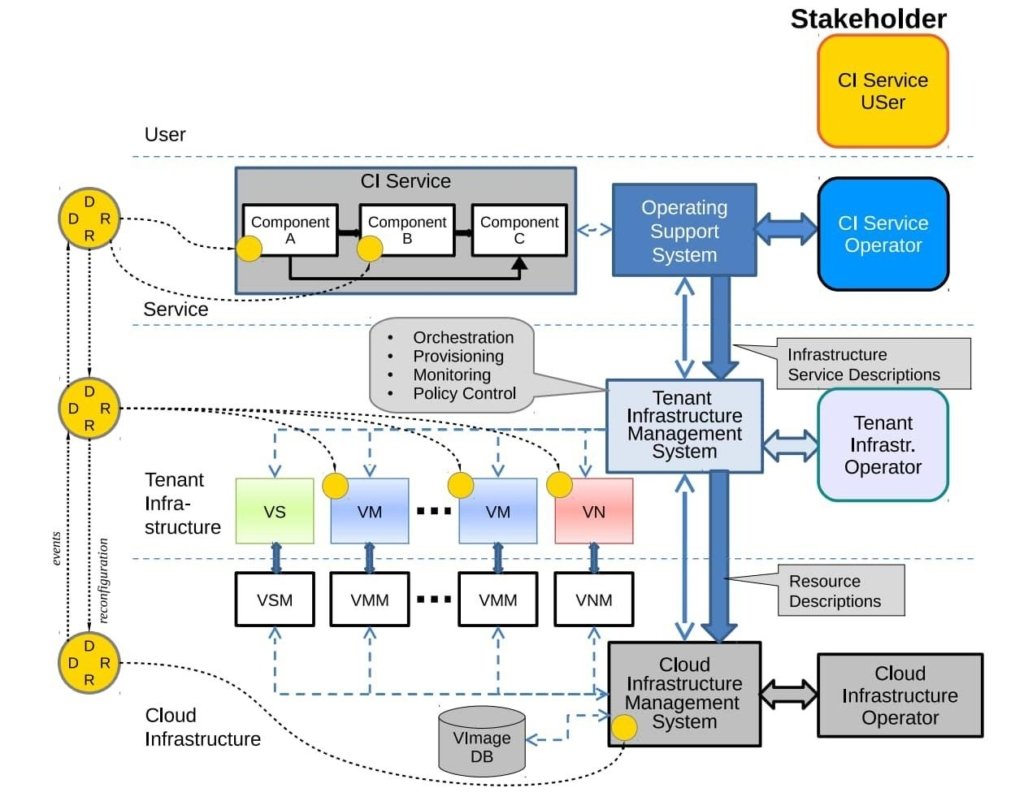
Figure 4: Network resilience with multi-CDN anomaly detection
How Intelligent Routing Works
Instead of static 50/50 load balancing, smart routing adjusts in real time:
Real-Time Metrics:
- Latency: Route users to the CDN with lower p95 latency in their region
- Error Rate: If one CDN returns 5xx errors >1%, shift traffic away automatically
- Cache Hit Ratio: Some CDNs cache better for your content type; route accordingly
- Regional Availability: If a CDN loses an entire region, route around it
Routing Methods:
- DNS-Level (GeoDNS): Return different CDN A records based on user geography and health checks. Simplest but less granular
- HTTP-Level (Application Layer): A small proxy or load balancer sits before both CDNs, making per-request decisions. More powerful but adds latency
- Dedicated Multi-CDN Platforms: Third-party services (IO River, Cedexis, Intelligent CDN) manage routing and billing across multiple CDNs as a managed service
Practical Setup Example
DNS Query: cdn.example.com
↓
Resolver checks health of both CDNs
↓
CDN-A: Latency 50ms, Error Rate 0.1%, Status OK
CDN-B: Latency 120ms, Error Rate 0.2%, Status OK
↓
Decision: Route to CDN-A
↓
User downloads content from CDN-A at 50ms
If CDN-A later spikes to 2% error rate:
Next query routes to CDN-B instead
Existing connections may drain gracefully
Traffic rebalances to healthy provider
Cache Warm-up and Cold Starts
One challenge with multi-CDN is that both CDNs must be warmed with your content. If you only route 30% of traffic to CDN-B, it will have more cache misses and higher latency to origin during the failover period.
Solutions:
- Dual Caching: Proactively push your most critical assets to both CDNs daily
- Warm Traffic: Send a small amount of traffic (10-20%) to the secondary CDN constantly to keep cache warm
- Keep-Alive Connections: Maintain a baseline of requests to the secondary CDN even if not actively used
Unified Security and Configuration
For multi-CDN to work without surprising users, security policies must be consistent across both providers:
- SSL/TLS Certificates: Same domain, same cert on both CDNs
- WAF Rules: Mirror your DDoS and WAF policies between providers. A bypass to CDN-B should not have weaker protection
- Cache Headers and Directives: Both CDNs should honor the same TTL and cache rules
- Custom Headers and Transformations: If you inject headers or modify responses, do it consistently
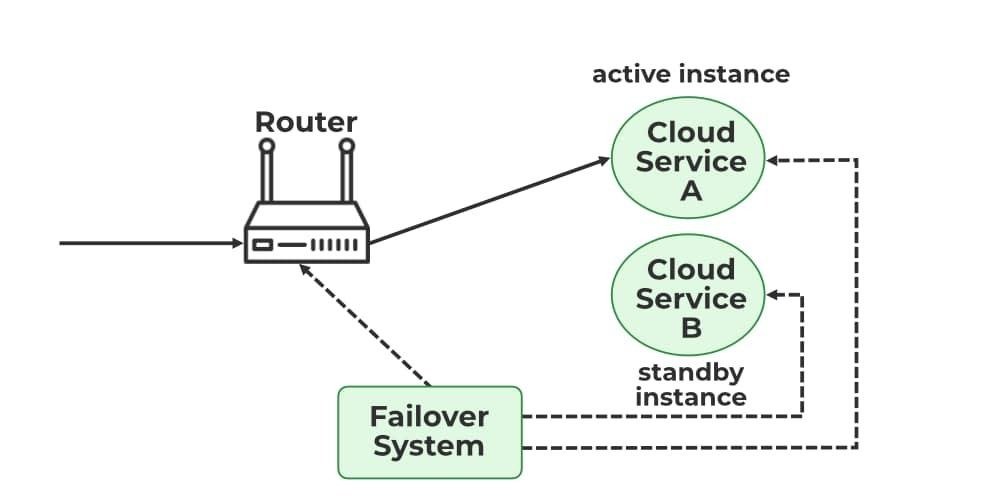
Figure 5: Failover system in cloud—automatic traffic rerouting
Who Should Use Multi-CDN?
Multi-CDN is ideal for:
- Large enterprises serving global traffic where downtime has severe financial impact
- Companies with high volumes that can negotiate favorable rates with multiple providers
- Organizations that want to avoid vendor lock-in and maintain negotiating leverage
- Businesses with diverse content types (streaming, APIs, static, dynamic) that benefit from specialized CDNs
Multi-CDN is more complex than single-CDN, but also more resilient and often cost-effective at scale.
Comparison: Single CDN, Bypass, and Multi-CDN
| Aspect | Single CDN Only | CDN + Bypass | Multi-CDN |
| Availability During CDN Outage | High downtime risk | Critical paths online | Auto-rerouted |
| Setup Complexity | Low | Medium | High |
| Operational Overhead | Low | Medium | Medium-High |
| Cost | $$ | $$$ | $$$-$$$$ |
| Performance (Normal State) | High | High | High (optimized) |
| Performance (Bypass/Failover) | N/A | Reduced (no edge cache) | Maintained |
| Security Consistency | Vendor-managed | Manual hardening needed | Must be unified |
| Time to Restore Service | Minutes to hours | Seconds (automatic) | Milliseconds (automatic) |
| Vendor Lock-In Risk | High | Medium | Low |
Table 1: Table 1: Comparison of CDN resilience strategies
Designing for Your Organization
Assessment Questions
Before choosing bypass, multi-CDN, or both, ask yourself:
- What is the cost of 1 hour of downtime? If it exceeds $10k, invest in resilience now.
- Do we have geographic concentration risk? If most users are in one region where one CDN has weak coverage, diversify.
- What is our incident response capability? Bypass requires automated systems; multi-CDN requires sophisticated routing. Do we have the team?
- Is vendor lock-in a concern? If yes, multi-CDN reduces risk.
- What is our compliance posture? Some industries require redundancy by regulation. Build it in from the start.
Phased Implementation Roadmap
Phase 1 (Weeks 1-4): Foundation
- Audit current CDN configuration and dependencies
- Identify critical user journeys (auth, checkout, APIs)
- Design origin hardening and bypass playbooks
- Set up continuous health monitoring
Phase 2 (Weeks 5-8): Bypass Ready
- Implement health checks and alerting
- Build DNS failover automation
- Harden origin server access controls
- Test bypass in staging; verify automatic recovery
Phase 3 (Weeks 9-12): Multi-CDN (Optional)
- Onboard secondary CDN provider
- Replicate security and cache configuration
- Deploy intelligent routing layer
- Gradual traffic shift and optimization
Each phase is low-risk if executed in staging first.
The Role of Managed Services
Building and operating these resilience layers yourself is possible but demanding. It requires:
- Deep DNS and networking expertise
- Continuous monitoring and alerting systems
- Incident response runbooks and automation
- Compliance and audit trails
- 24/7 on-call coverage for failover management
This is where specialized vendors and managed services add value. Services like AutoMi Cloud AI help engineering teams:
- Design resilient CDN architectures tailored to your traffic patterns and risk tolerance
- Implement automated bypass and multi-CDN routing without reinventing the wheel
- Operate these systems with 24/7 monitoring, alerting, and runbook execution
- Optimize performance and cost by continuously tuning routing policies and cache behavior
- Certify compliance and SLA adherence through detailed incident logging and remediation
A managed CDN resilience service typically pays for itself within one incident cycle by preventing revenue loss and reducing engineering overhead.
Next Steps: Start Your Assessment
The Cloudflare outages of November and December 2025 are not anomalies—they are signals that single-CDN dependency is a business risk, not a technical oversight.
You can take action today:
- Run a scenario test: Imagine your primary CDN goes offline right now. Could your engineering team route traffic to an alternate path in under 5 minutes? If not, you have a gap.
- Calculate your downtime cost: Quantify what one hour of unavailability means to your business in lost revenue, SLA penalties, and reputational damage.
- Engage a resilience partner: Schedule a consultation to walk through bypass and multi-CDN options tailored to your infrastructure and risk profile.
We offer a free CDN Resilience Assessment where we review your current architecture, simulate a CDN failure, quantify business impact, and outline a concrete 12-week roadmap to eliminate single points of failure.
No vendor lock-in. No long contracts. Just pragmatic engineering that keeps your services online.
Contact us for our services (worldwide).
